
Notewise - AI Notes, PDF, Docs
NotewiseProductivity
4.3583.00 Reviews
- Version
- 4.0.4
- Installs
- 5.00M
- Age Rating
- Everyone
Screenshots
Our Review of Notewise - AI Notes, PDF, Docs
 Analysis by Appyee
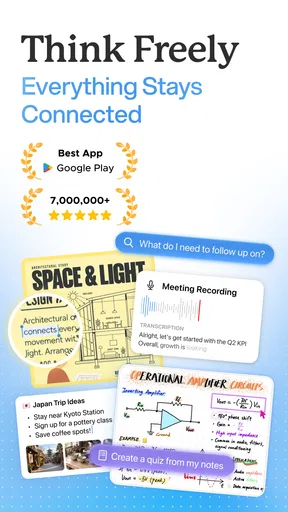
When I use a note-taking app, I want to find the right page quickly, read it comfortably, and capture an idea without fighting the interface. Notewise - AI Notes, PDF, Docs brings handwritten-style notes, documents, PDFs, and AI-assisted tools into one productivity app. That combination makes it appealing if your work moves between rough sketches and more polished material, though it is worth considering how you prefer to write and organize before making it your everyday home for notes.
Reading a page without losing your place
My first impression is that the app presents note-taking as a visual activity rather than a stack of plain text fields. That can suit people who think in diagrams, handwritten marks, and page layouts, as well as people who simply want their notes to feel less like a form. The uncluttered presentation helps me focus on the page, but the real test is whether a note remains easy to scan after it grows beyond a few lines.
Folders, tags, and color choices give you several ways to make a collection easier to navigate. I would start with a small, consistent system: folders for broad areas such as work or study, then tags for recurring projects or topics. That avoids creating a separate folder for every short-lived task. Color can help distinguish notebooks at a glance, but it works best as a cue rather than the only way to identify what a note contains.
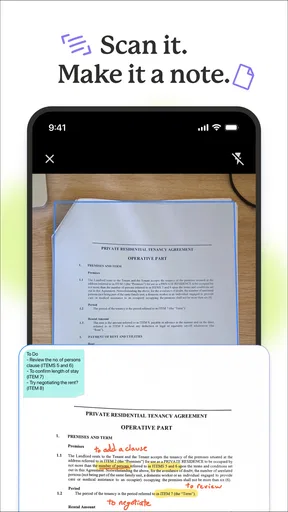
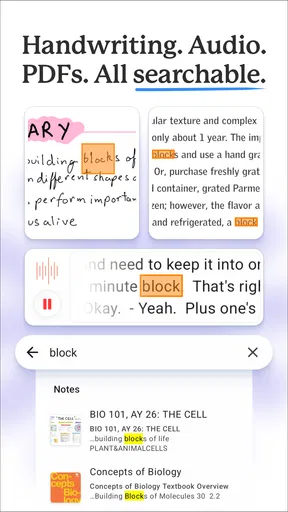
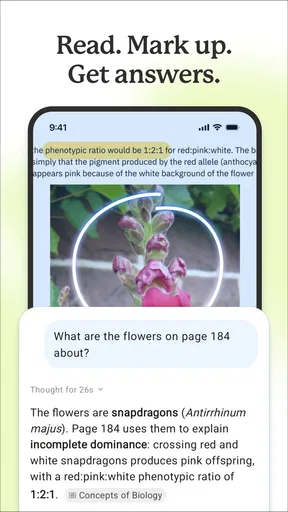
PDF and document handling is useful when your notes need to live beside material you are reading or sharing. Instead of switching between a reference document and a separate note app, you can keep those activities closer together. For someone reviewing a handout or adding thoughts to a working document, that can reduce context switching. I would still give longer pages clear headings and short sections; a page-based workspace can become just as hard to search mentally as a drawer full of paper if every note is titled “Meeting” or “Ideas.”
Writing, drawing, and different ways of interacting
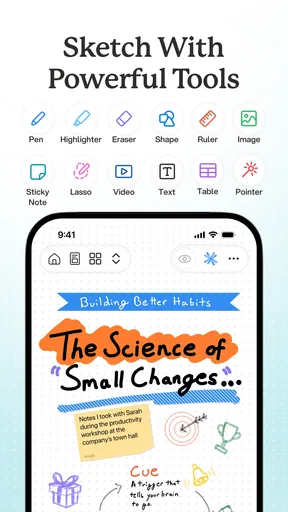
The paper-like approach is especially relevant if typing is not always the easiest or most natural way for you to express an idea. Sketches and images can make a note more useful when a sentence would take longer to explain than a quick visual. In a planning session, for example, I might draw the relationship between tasks first and add labels afterward. That is a practical advantage over a strictly text-first notebook, though it depends on whether writing or drawing on your device feels comfortable.
People who rely on touch or a stylus may appreciate having a space that accommodates marks as well as words. At the same time, handwritten input can be tiring or imprecise for some users, and a screen that feels natural to one person may feel cramped to another. I would try a short note before moving a large archive into the app. A quick test tells you more about your own comfort with the writing surface than any feature list can.
For sensory comfort, a visually organized page may feel calmer than a busy workspace, but visual simplicity is not automatically the same as accessible reading. Dense handwriting, low-contrast color choices, or a page crowded with sketches can make information harder to distinguish. I would use clear labels and avoid relying on color alone, especially for notes I need to revisit quickly or share with someone who may interpret the page differently.
When the app fits a busy day
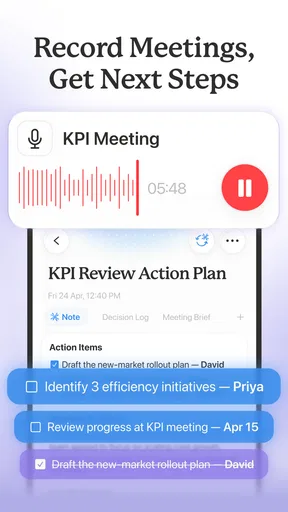
A realistic use case is a student opening a PDF before class, marking the parts that need attention, and keeping a separate page for questions to raise later. A similar workflow works for a project meeting: capture a rough diagram, add decisions in text, then share a cleaner document with collaborators. The benefit is not that every step happens automatically; it is that reading, collecting thoughts, and preparing something to pass on can sit within the same note-taking environment.
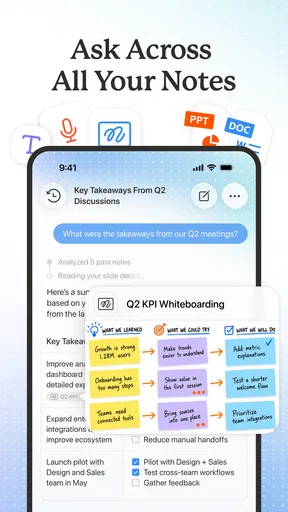
AI assistance may help when you have a long or untidy note and want support organizing or summarizing it. I see that as a second pass, not a replacement for checking the original. A summary can make review quicker, but important names, decisions, or exceptions deserve a human check before you rely on them. If you already write concise notes, the AI layer may matter less than the app’s page and document workflow.
Sharing and real-time collaboration are helpful when a note is genuinely shared work rather than a personal notebook. For example, two people planning an event can use one document to collect ideas and refine the plan together. I would keep private working notes separate from material intended for others, so a page’s audience stays clear. If your usual routine is mostly solo and quick, collaboration may be an occasional convenience rather than a reason to choose the app.
Where it differs from familiar note apps
Compared with a basic text notebook, Notewise is a better match for notes that mix handwriting, visual thinking, PDFs, and documents. A plain-text app may be faster for short reminders or a simple searchable list, with less emphasis on arranging a page. Compared with a paper notebook, the digital format makes sharing and keeping related material together more practical, while paper still wins for people who want a screen-free writing experience.
It also sits between a lightweight notes app and a more document-centered workflow. That breadth can save switching, but it may feel like more workspace than you need if all you want is a grocery list or a fast capture box. I would choose based on the shape of your notes: if they are mostly brief typed snippets, a simpler tool may be less distracting; if they routinely include annotations, sketches, and material to share, this approach is more compelling.
The app is free to start, with in-app purchases ranging from $0.99 to $89.99 per item. I would explore the everyday workflow before paying for anything, then decide whether the features you actually use justify an upgrade. Notewise is developed by Notewise, has a 4.6 average from around 25,000 ratings, and has passed 5 million installs. It is rated for Everyone, was released on May 21, 2022, and version 3.4.5 requires Android 8.0 or later.
Practical limits and a sensible first setup
One trade-off of an all-in-one note space is that it asks you to make a few organizational decisions up front. If every thought becomes a separate notebook, finding things later can take more effort than writing them. I would create only a handful of broad folders, use tags for topics that cross those folders, and give important notes specific titles. That small habit is more useful than building an elaborate taxonomy you will not maintain.
Another consideration is the difference between access and dependable backup. The app’s offline capability is valuable when a connection is unreliable, because I can still reach notes away from a network. For anything important, I would also keep a deliberate sharing or export routine where appropriate, rather than assuming that offline access alone answers every question about long-term availability. Before relying on a new note system for work or study, test how your own documents behave when you are disconnected and when you need to pass them to someone else.
Collaboration can also introduce clutter if several people edit without a shared structure. I would agree on a simple naming convention and keep a short decisions section near the top of a shared project note. That makes a collaborative page more useful to someone who joins later, rather than leaving them to interpret a stream of edits. For sensitive material, be thoughtful about what you share and with whom; privacy tools matter, but careful handling is still part of a sensible workflow.
If you are deciding whether it suits you, ask yourself three practical questions: Do you often annotate or sketch? Do you need notes and PDFs to sit close together? Will you share documents with other people? A yes to several makes the app worth trying. If your main needs are quick typed reminders, screen-free writing, or a very simple list, another option may fit better. Android users on older systems should also check that their device meets the minimum requirement before planning a switch.
First Impressions: Sleek and User-Friendly
As soon as I opened Notewise, I was greeted by a clean and intuitive interface. It's one of those apps that just feels right. You know? Sometimes you open an app and instantly feel overwhelmed, but not here. Navigating through the features is a breeze, and everything is laid out logically. It's clear that the developers put a lot of thought into making it user-friendly.
Features That Stand Out
Now, let's dive into what makes this app a standout in the crowded field of note-taking tools. The integration of AI is a game-changer. It’s not just about taking notes; it’s about enhancing them. The AI features help in organizing, summarizing, and even suggesting improvements to your notes. It's like having a smart editor looking over your shoulder. Trust me, once you get used to this feature, there's no going back.
Another highlight is the seamless handling of PDFs and documents. Whether you're annotating a PDF or collaborating on a document, Notewise makes it effortless. I found the ability to convert notes into PDFs particularly useful, especially when needing to share them with colleagues or friends.
Collaborative Magic
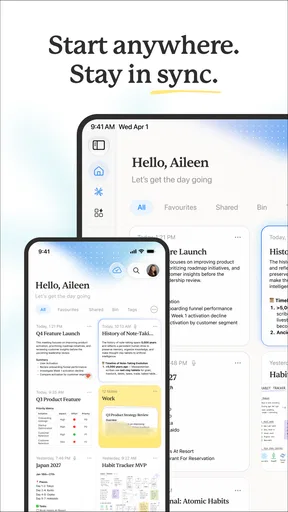
In today's world, collaboration is key, and Notewise nails it. The app allows you to easily share notes and docs with others, and the real-time collaboration feature means you can work on projects together, no matter where you are. I tested this with a friend, and it was smooth sailing. Changes appeared instantly, and we never missed a beat.
Customization and Organization
One of the things I love most is how customizable everything is. You can tailor the app to fit your specific workflow. Whether it's color-coding notes, setting up folders, or creating tags, Notewise gives you full control over how you organize your digital life. And let’s be honest, who doesn’t love a bit of personalization?
If you’re a visual person, the app’s integration of images and sketches into notes will be a delight. I found it incredibly handy for brainstorming sessions where sometimes words just aren’t enough.
Offline Capabilities
Another feature worth mentioning is the offline capability. We've all been in situations where internet access is spotty at best. With Notewise, your notes are always accessible, no matter where you are. It’s a small touch, but it makes a big difference.
Security and Privacy
Now, let's talk security. In an age where data privacy is paramount, Notewise doesn’t disappoint. It offers robust security features to ensure your notes are kept private. You can set up password protection and even encrypt sensitive documents. It's reassuring to know that your information is safe.
In conclusion, Notewise - AI Notes, PDF, Docs is more than just a note-taking app. It's a comprehensive tool that enhances productivity, fosters collaboration, and keeps your information secure. Whether you're a student, professional, or just someone who loves staying organized, this app is definitely worth checking out. Give it a try, and you might just wonder how you ever managed without it.
Who will get the most from it?
I would recommend this app most to people whose notes are not just short scraps of text. Students who mark up reading, people who think by drawing, and teams that need to circulate working documents can make use of its blend of pages, PDFs, and collaboration. It can also suit someone moving from paper who wants to keep a more natural writing style while gaining the convenience of digital sharing.
It is less persuasive for someone who wants nothing beyond a fast checklist or a plain, searchable text archive. In that situation, its broader workspace may add choices without improving the daily routine. The same goes for anyone who strongly prefers writing on paper or finds stylus-based input uncomfortable: a familiar text editor or physical notebook could be the more comfortable answer.
A careful way to make it part of your routine
I would begin with one real task rather than migrating everything at once. Try annotating a document you already need to read, then create a short note that captures the questions or actions it raises. If that feels natural, add a folder for the subject and a tag you can reuse. This small trial reveals whether the page-based workflow helps you think, and it lets you judge the AI tools on material you understand well enough to review.
For example, during a busy workday, I might save a meeting note with the key decisions, sketch a rough process beside them, and turn the polished version into a PDF to share afterward. On a commute or in a building with unreliable internet, offline access can keep the note available for review. Later, I would check that the shared copy is clear to someone who did not attend; a concise heading and explicit action items often matter more than decorative formatting.
My inclusive verdict
What I value most is the flexibility to combine text, handwriting, visuals, and documents, rather than forcing every thought into the same format. That can make Notewise easier to adapt to different tasks and preferences, but it does not guarantee that every page will suit every reader or every way of interacting. Good organization, legible marks, and restrained use of color make a meaningful difference.
Overall, I see it as a capable choice for people who want their notes to move between reading, writing, sketching, and sharing. Its breadth is a genuine strength when those activities belong together, while the same breadth can be unnecessary for simple lists or quick typed reminders. I would try it with a small, familiar project first; if its writing surface and organization feel comfortable in that real situation, it has a good chance of earning a place in your routine.
Verdict
Strengths of Notewise - AI Notes, PDF, Docs
- AI-powered note organization.
- Seamless PDF integration.
- User-friendly interface.
- Cross-platform syncing.
- Customizable themes.
Limitations of Notewise - AI Notes, PDF, Docs
- Limited offline functionality.
- Subscription required for premium features.
- Occasional sync delays.
- High RAM usage on older devices.
- No handwriting recognition.
Similar Picks in This Category
View All
Google Calendar
Google LLC4.6

Google Drive
Google LLC4.3

Google Assistant
Google LLC3.9

Microsoft OneDrive
Microsoft Corporation4.6

Samsung Calendar
Samsung Electronics Co., Ltd.4.1

Microsoft OneNote: Save Notes
Microsoft Corporation4.6
Frequently Asked Questions
What features does Notewise - AI Notes, PDF, Docs offer?
Notewise provides a robust set of features including AI-powered note-taking, seamless PDF integration, and document management. It allows users to create, edit, and organize notes efficiently. The AI assists in summarizing content and extracting key information, making it ideal for students and professionals looking to streamline their workflow.
Is Notewise secure for storing sensitive information?
Notewise prioritizes user security by implementing encryption for all stored data. It ensures that your notes and documents are protected from unauthorized access. Additionally, the app offers password protection for individual files and supports biometric authentication for an extra layer of security.
Can I use Notewise offline?
Yes, Notewise offers offline functionality allowing users to access and edit their notes without an internet connection. This feature is particularly useful for users who need to work on their notes in areas with limited connectivity. All changes sync automatically once the device reconnects to the internet.
Is Notewise compatible with other productivity apps?
Notewise integrates seamlessly with various productivity tools such as Google Drive, Dropbox, and Evernote. This compatibility allows users to import and export documents easily, enhancing collaboration and document management across different platforms. It supports file sharing in multiple formats for added convenience.
What platforms is Notewise available on?
Notewise is available on both Android and iOS platforms, ensuring a wide reach for mobile users. The app is designed to offer a consistent experience across devices, making it easy for users to switch between their smartphone and tablet without losing any data or functionality.
